
Every ad your competitors run is public. Meta, Google, LinkedIn and TikTok all publish them in free libraries, so you can see what they say, how long they have run, and how many versions they are testing.
The hard part is not finding the ads. It is searching the right way on each platform, knowing which ads are actually working, and turning that into your next brief. This guide covers all three, with screenshots of every library.
What competitor ads tell you
A competitor's ads are market research someone else paid for. Lined up side by side, they show you a lot about a brand without a single sales call. Here is what you can learn:
- What they are betting on. The hooks, angles and formats a brand keeps running are the ones that work for them.
- What they are saying. Ad copy shows positioning, offers and the pains they think matter most.
- Where they are spending. Heavy on TikTok and quiet on Google tells you where they think their buyers are.
- How active they are. New launches, ad counts and start dates show if a brand is scaling, testing or going quiet.
The goal is to skip the most expensive part of testing, which is finding angles that work. You still have to make the ad yourself, in your voice. But you start from what the market already rewards instead of from a blank page.
Before you start: decide what you are looking for
Most competitor research goes wrong because people open a library before they know what question they are answering. They end up with forty screenshots and no conclusion. Pick one of these goals first:
- Creative and messaging. Hooks, formats and angles for your next brief. The free libraries cover this well.
- Spend and scale. How much a competitor puts behind a channel. No free library shows this, so you need a paid tool.
- Targeting and funnel. Who they chase and how they follow up. You see this by getting served their ads yourself.
- Ongoing tracking. The same three to five competitors, every week. This is where manual checks start to break.
Next, write down how each competitor shows up on each platform. Every library searches differently. Meta wants the Facebook Page name, Google often lists the legal company name, LinkedIn uses the company page, and TikTok works best with the brand name or handle. Five minutes of prep here saves a lot of dead ends later.
Where to find competitor ads for free
Each big ad platform has its own public library. They all work a little differently, and none of them shows spend or results for normal commercial ads. These are the ones to bookmark:
- Meta Ad Library for Facebook, Instagram, Messenger and Threads ads
- Google Ads Transparency Center for Search, YouTube, Display and Shopping ads
- LinkedIn Ad Library for B2B and sponsored content
- TikTok Creative Center for top-performing TikTok ads
- TikTok Commercial Content Library for TikTok ads shown in Europe
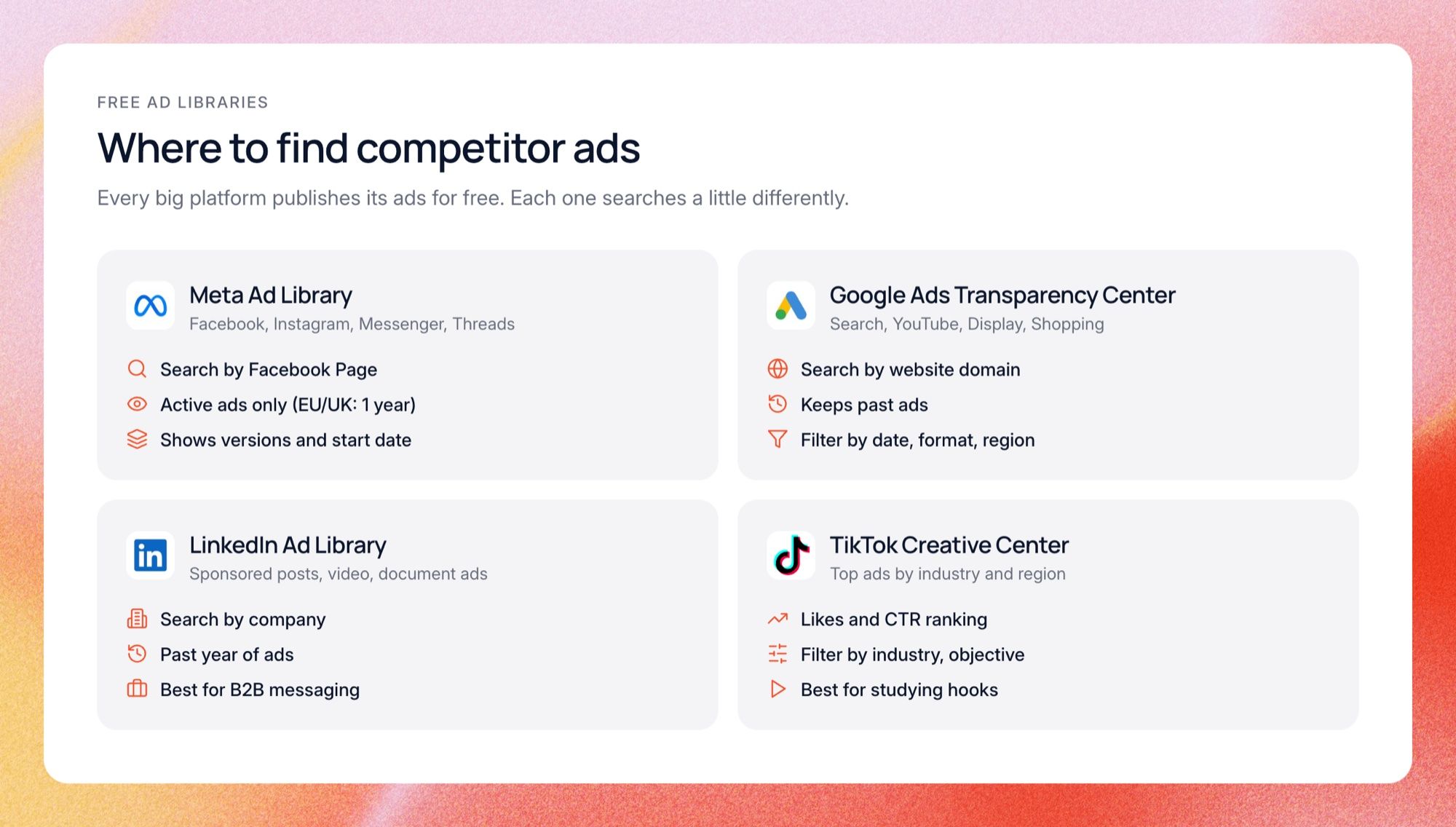
The sections below walk through each one step by step. We used HubSpot as the example brand so you can see real results. If you only have ten minutes, start with Meta and Google, because that is where most budgets go.
Meta Ad Library
The Meta Ad Library shows every active ad running on Facebook, Instagram, Messenger and Threads. You do not need an account to use it. Here is how to search it:
- Open the library and set the country. Pick "All" unless you only compete in one market.
- Set the category to "All ads", not political ads.
- Type the brand name and pick its Page from the dropdown. Do not just press enter.
- Filter to active ads and sort by newest to see recent launches.
- Click "See ad details" to see every version, the full copy, the start date and the platforms.
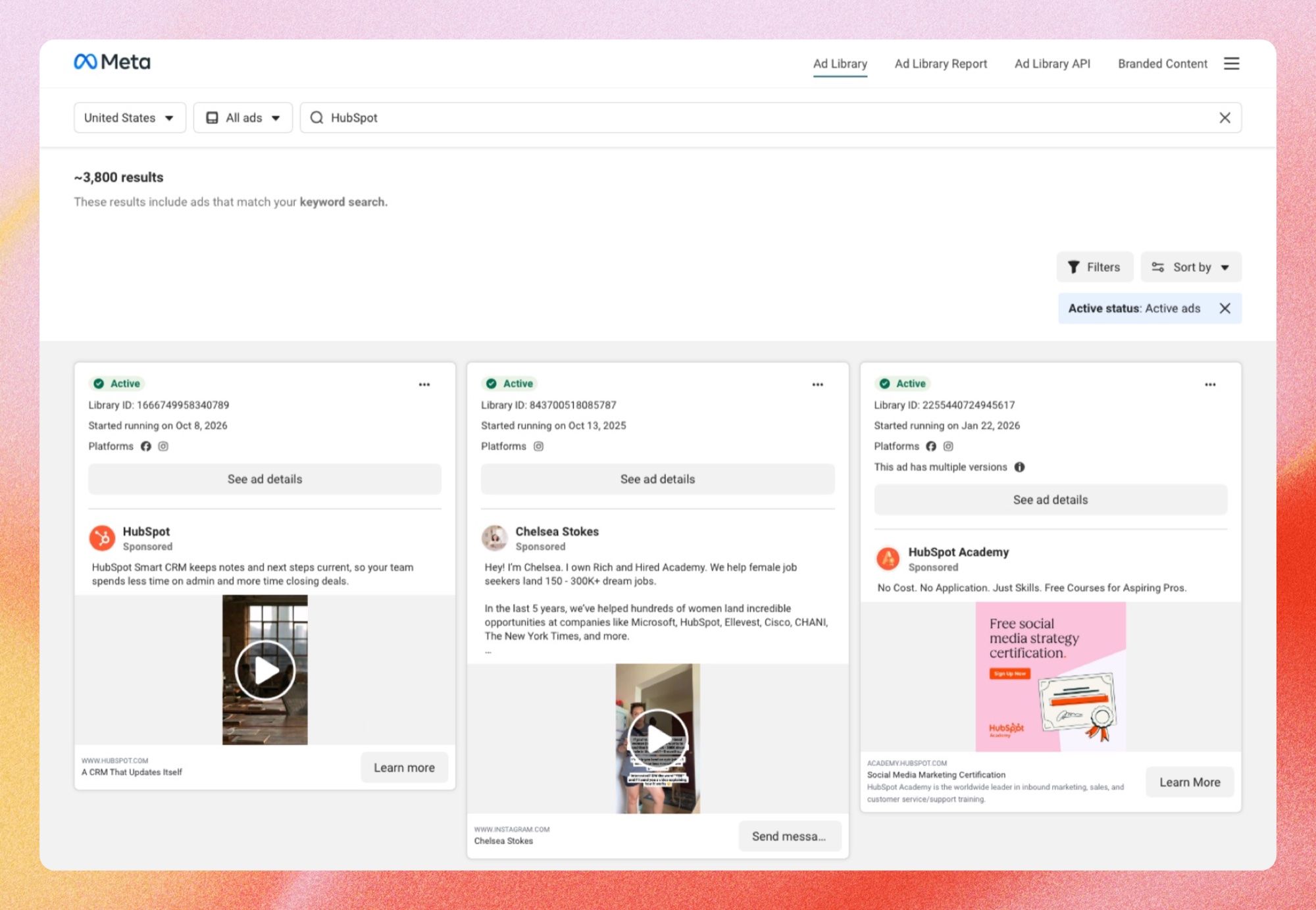
Step three matters more than it looks. In the screenshot above, we searched "HubSpot" as a keyword and got about 3,800 results, including ads from people who just mention HubSpot in their copy. When we tried the same with "creative analytics", 342 active ads came back, and most were from agencies, courses and fundraising tools. Picking the Page from the dropdown shows only that brand's ads.
Look for the "This ad has multiple versions" label, because it means the brand is testing that idea. Also know what the library hides. For most brands you only see active ads, while ads shown in the EU and UK stay visible for a year, along with reach and audience numbers.
Google Ads Transparency Center
The Google Ads Transparency Center shows ads from Search, YouTube, Display and Shopping in one place. Unlike Meta, it keeps old ads too, so you can scroll back in time. Here is how to use it:
- Search by website domain rather than brand name. Google lists advertisers by legal name, which is often different.
- Pick the region you care about.
- Filter by date, platform and format, like text, image or video.
- Open an ad to see when it ran and where it was shown.
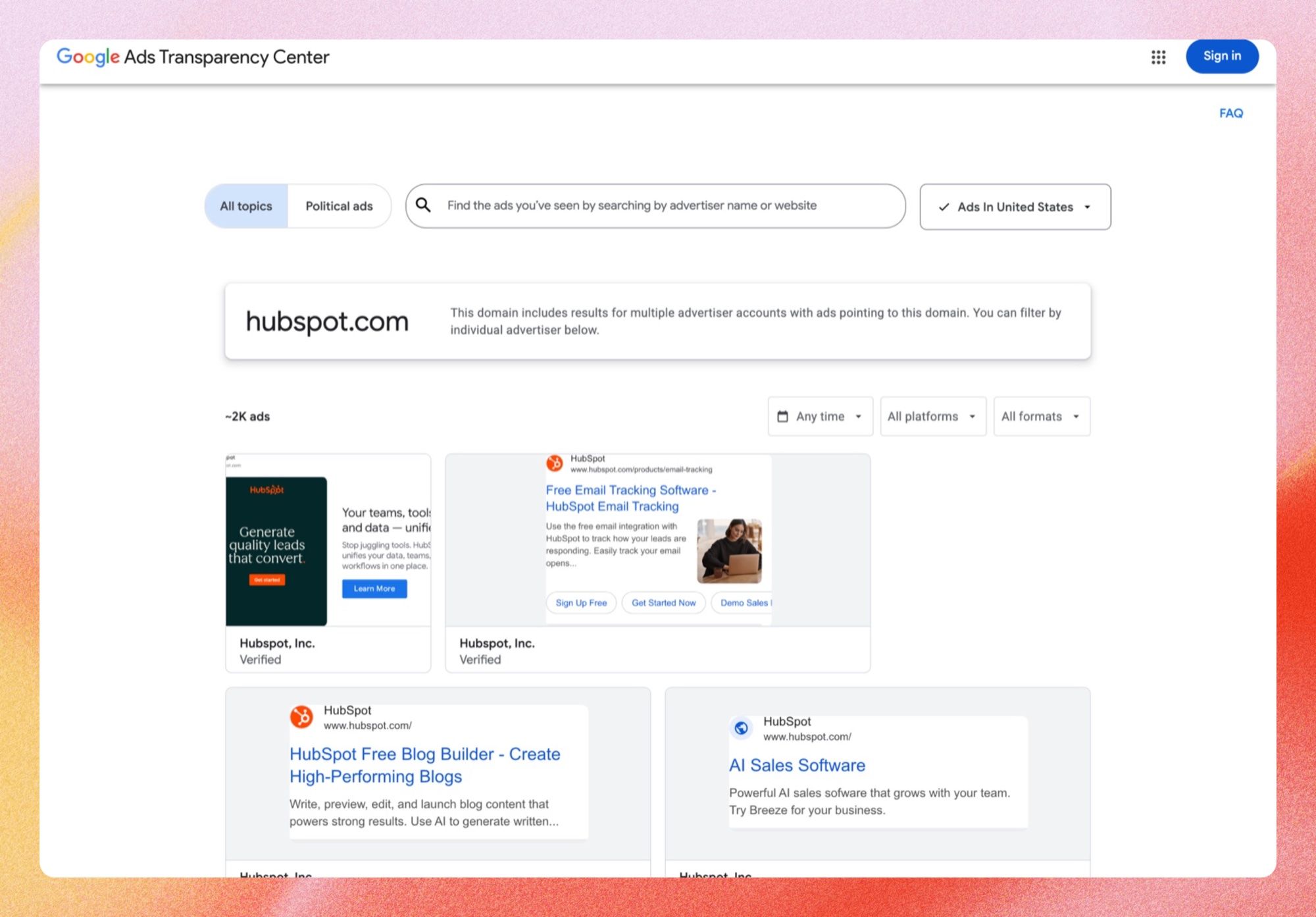
Searching hubspot.com showed about 2,000 ads in the US, from search text ads to display banners. Search headlines are the most useful part here. They are short and tested hard, so the words a competitor repeats across many ads tell you which promises win the click.
The date filter is great for spotting pushes. When a brand suddenly launches lots of ads in one format, it is usually a launch, a seasonal sale or a change in strategy. Impressions and audience details only show up when you pick a European region.
LinkedIn Ad Library
The LinkedIn Ad Library is the best place for B2B research. It shows the ads a company has run on LinkedIn, including single images, videos and document ads. Here is how to search it:
- Type the company name in the "Company or advertiser" field.
- Filter by country and date if you only care about one market.
- Sort by newest to see what they launched recently.
- Click "View details" for the full ad, and for EU ads, impressions and targeting.
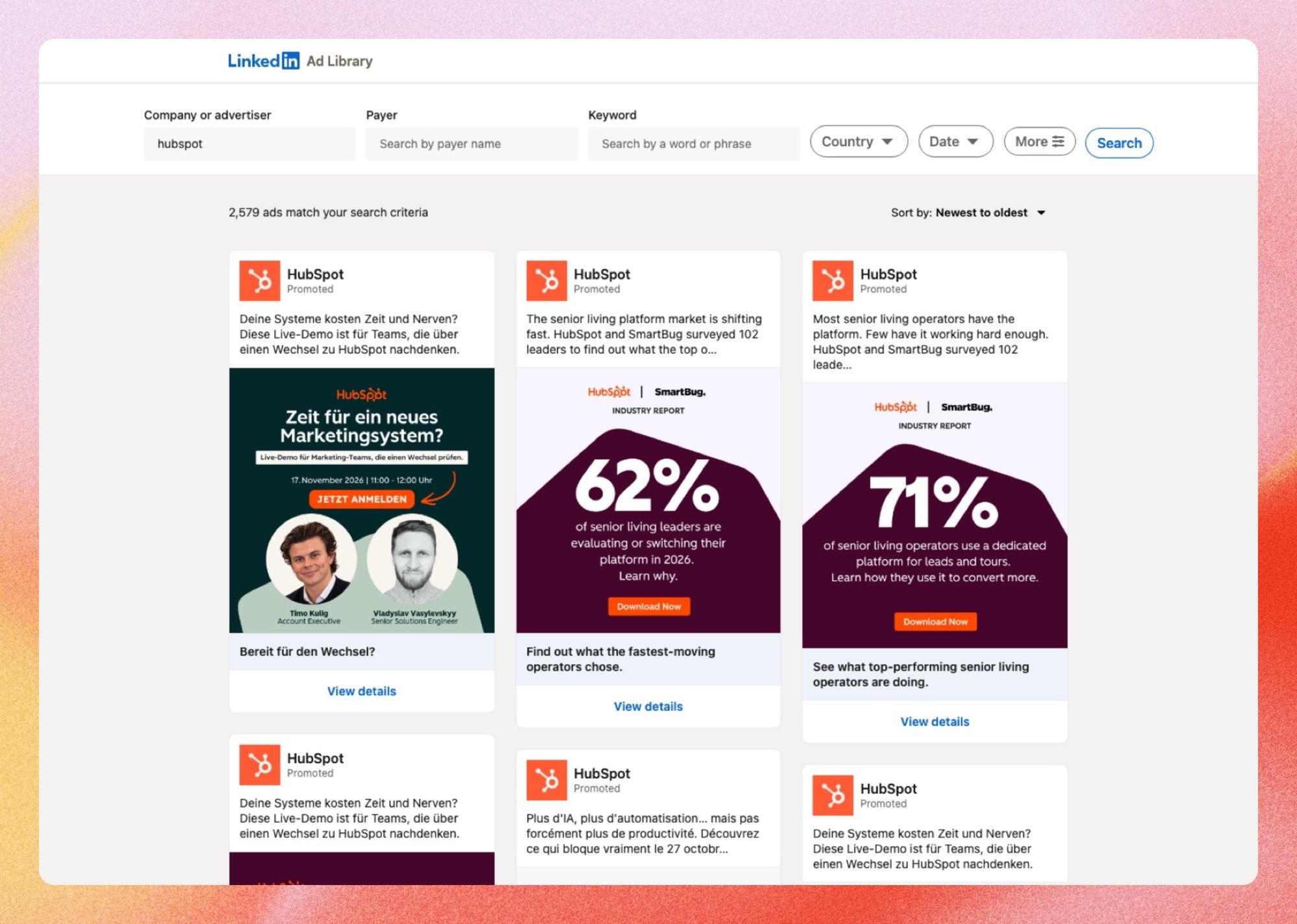
HubSpot had over 2,500 ads in the library, in several languages. LinkedIn ads tend to be wordier than ads on other platforms, so you get the full argument a competitor makes to buyers, not just a headline. Look closely at the reports, webinars and demos they offer, because those show what their buyers say they want.
TikTok Creative Center
TikTok has two places to look. The Creative Center's Top Ads dashboard shows ads that performed well, and you can filter it by region, industry, objective and date. The Commercial Content Library lets you search ads by advertiser, but only for ads shown in Europe.
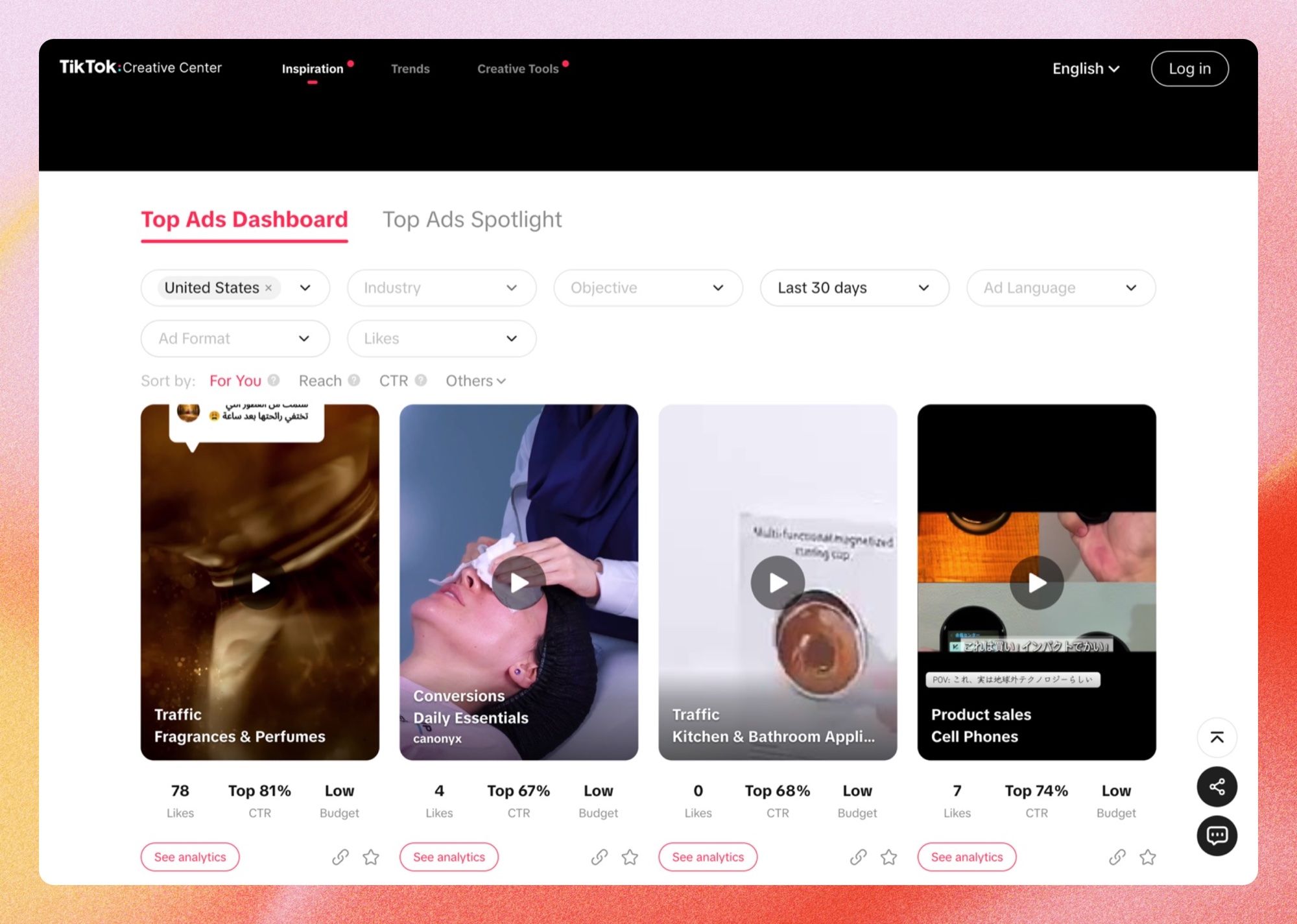
The Creative Center is the only free library that shows performance hints. Each ad gets likes, a CTR ranking and a budget level, and you can sort by reach or CTR. That makes it a great place to study hooks: watch the first two seconds of the top ads in your industry, and you will see the same few opening moves again and again.
Pinterest, X and other platforms
Pinterest and X also publish ad libraries, but only for ads shown in the EU. They are worth a look if your buyers spend time there. For most brands, though, Meta, Google, LinkedIn and TikTok cover the bulk of their spend.
YouTube ads live inside the Google Ads Transparency Center, so you do not need a separate search. Filter the platform to YouTube and you will see a brand's video ads in one list.
Other free ways to see competitor ads
The libraries show you the ads, but not how a brand targets people. A few hands-on tricks fill that gap. They take a bit of time, but they show things no library will:
- Search Google like a buyer. Type the keywords your customers use and see which competitors show up in the ads. Google's Ad Preview tool does the same without adding fake impressions.
- Visit their website. Browse a few pages and add something to the cart. Over the next days, their retargeting ads will start following you.
- Click "Why am I seeing this ad?" on Facebook or Instagram. It shows the targeting a brand used to reach you.
- Sign up for their emails. Their welcome flow often reuses the same offers and angles as their ads.
These tricks are the only free way to see a competitor's funnel. You see the ad, the landing page and the follow-up in the same order a real buyer does. Write down what you get served and when.
When free tools are not enough
The free libraries have two big gaps. They make you check each platform one by one, and most of them only show what is live today. Paid tools exist to close those gaps.
There are roughly three kinds. Search tools like Semrush and SpyFu estimate a competitor's Google Ads keywords and spend. Creative archives keep years of past ads you can filter by format or country. And creative workspaces, like Lemonado, pull competitor ads from several platforms into one search and put them next to your own results.
Start free either way. The libraries tell you if there is anything worth finding before you pay to find it. Once you check the same brands every week, a tool usually pays for itself in time saved.
How to tell which competitor ads are working
None of the libraries tell you which ads make money. You have to read the clues. Four of them do most of the work:
- How long it has run. Brands do not keep paying for ads that lose. An ad live for 30 days or more is a good sign, and 60 days or more is very likely a winner.
- How many versions exist. Lots of versions of one idea means they found something and are scaling it.
- What came back. An ad that disappears and returns a month later is one they missed.
- How many platforms it runs on. An idea that shows up on Meta, TikTok and YouTube at once is one they trust.
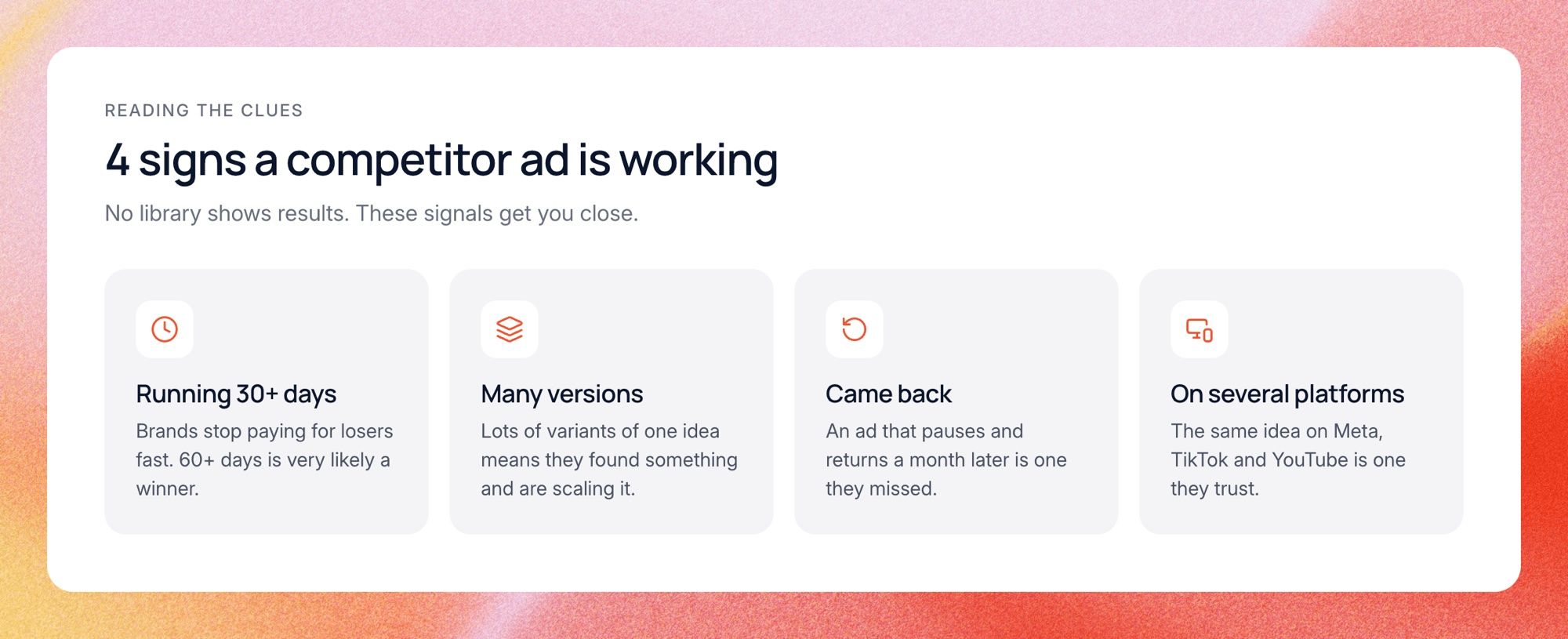
Run time is the strongest signal by far. A brand might launch twenty ads in a week, and most will be quietly switched off within days. The few still running a month later are the ones to study.
On TikTok you get one more clue, because the Creative Center shows likes and a CTR ranking. Use them to compare ads within one industry. Just remember these are top ads TikTok chose to show, not a full view of any brand's account.
How to analyze a competitor ad
Finding the ad is step one. Understanding why it works is where the value is. Look at every ad through the same lens so your notes stay comparable:
- Concept. What is the big idea? A problem, a comparison, a story, a demo?
- Hook. The first line of copy or the first two seconds of video. What makes someone stop?
- Structure. How does the video move from hook to proof to call to action?
- Visuals and pacing. Talking head, UGC, product close-ups, text on screen. How fast does it cut?
- Proof. Numbers, reviews, logos, customer faces.
- Offer and landing page. Does the page continue the same promise, or drop you on a generic homepage?
The last point is often the most revealing. A brand that builds a separate page for one ad is telling you that message matters. When the ad and the page match closely, that pairing is the thing to learn from, not the ad alone.
How to research competitor ads step by step
A good process takes about an hour the first time and fifteen minutes a week after that. The point is to end with ideas to test, not a folder of screenshots nobody opens again. Here is the routine we suggest:
- List five to ten competitors. Include direct rivals, plus one or two brands outside your category that sell to the same buyer.
- Pull their live ads from Meta and Google, then LinkedIn or TikTok depending on where your buyers are.
- Sort by run time and put the longest-running ads at the top.
- Tag each long runner with its concept, hook, format, offer and landing page.
- Look for patterns. Which pain shows up across three or more brands? Which format does everyone keep paying for?
- Write test ideas. Turn each pattern into one ad you could make for your brand.
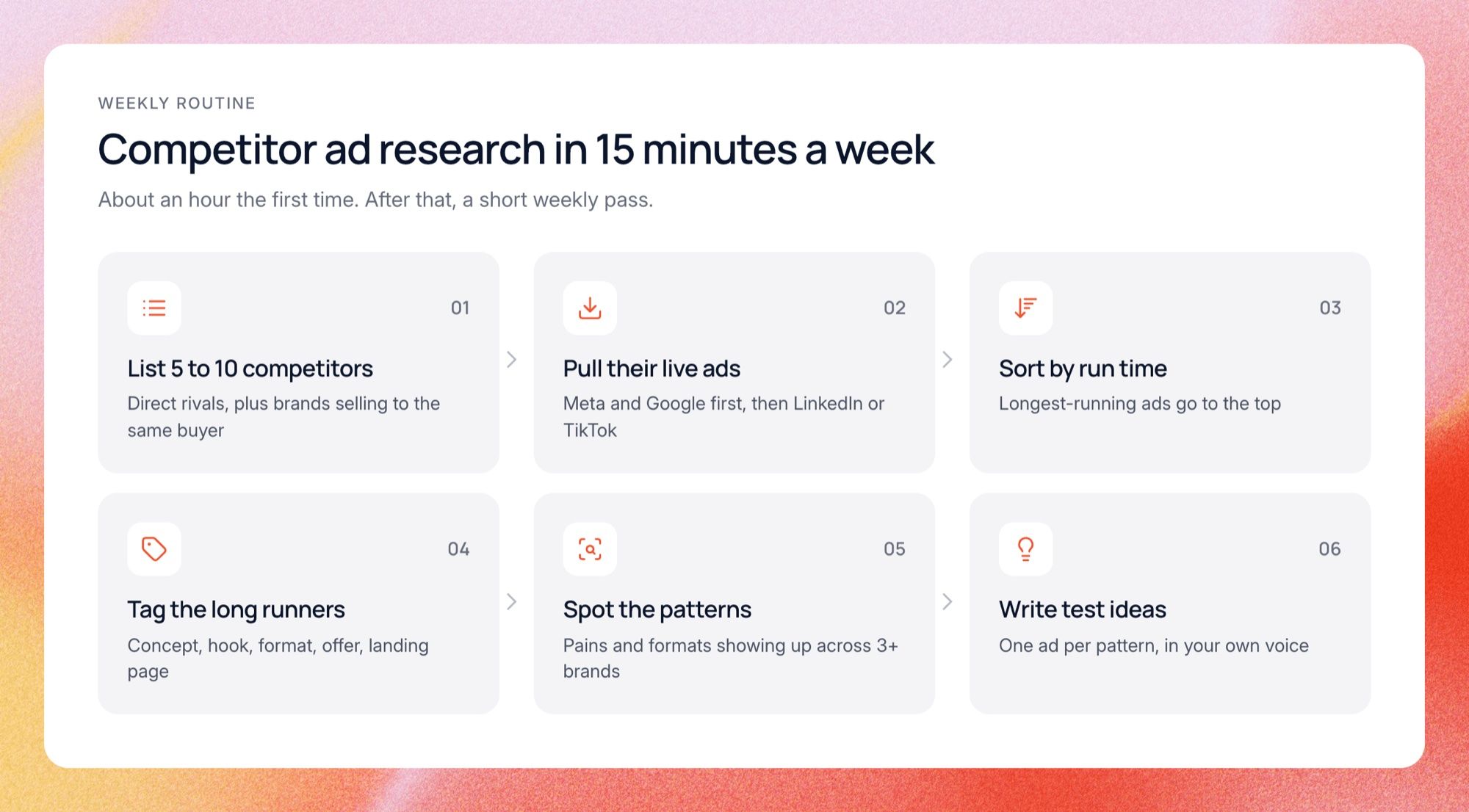
Steps four and five are where most teams cut corners. Screenshots in a Slack thread feel like research, but they do not tell you what to make next. Tagging forces you to name why an ad works, and the patterns only show up once you have tagged enough ads to compare.
Save everything in one report per competitor, and date every entry. Three months in, you will have something no library gives you: a history of what each brand tested, kept and dropped.
Common mistakes in competitor ad research
Most wasted research time comes from the same few mistakes. Here they are so you can skip them:
- Searching keywords instead of brands. You get everyone who mentions the word, not the competitor.
- Expecting to see old ads everywhere. Meta hides inactive ads for most brands. Use Google or LinkedIn for history.
- Copying the newest ad. A brand's newest ad is just as likely to be a loser as a winner.
- Not saving what you find. Ads disappear. If you did not save it, it is gone.
- Doing it once. A one-off audit goes stale in weeks, because brands rotate ads all the time.
The copying mistake is the most expensive one. Without run time and version counts, you are copying a guess. And even a proven winner was made for another brand's price, audience and voice, so use the idea, not the ad.
Do this with AI
You can speed up the analysis part with ChatGPT or Claude today. Copy the ads you found in the libraries, including the date each one started running, and paste them into a chat with the prompt below. It tags every ad the same way, ranks the likely winners and turns the patterns into test ideas for your brand.
You are a senior creative strategist. Below are ads from my competitors' ad libraries. For each one I have pasted the brand, the platform, the ad copy (or a screenshot) and the date it started running. For every ad, tag: - Concept (problem, comparison, story, demo, offer) - Hook (the first line, or what happens in the first 2 seconds) - Format (static, carousel, UGC video, founder video, demo) - Proof (numbers, reviews, logos, faces) - Offer and call to action - Days running Then: 1. Rank the ads by days running and flag the likely winners (30+ days, or many versions of the same idea). 2. List the 3 pains or desires that show up across the most brands. 3. List the formats several brands keep paying for. 4. Write 5 test ideas for my brand. For each, give a hook in my voice and name the competitor pattern it builds on. My brand in one line: [what you sell, to whom, and your main offer] Ads: [paste the ads here]
The prompt works best with 15 to 40 ads from three or more brands. With fewer than that, the patterns are mostly noise. The weak spot is the copying and pasting: the AI only knows what you give it, so it cannot spot new launches, check run times again next week, or compare against how your own ads perform.
How this works in Lemonado
Lemonado does the finding, the saving and the comparing in one place. Its Creatives workspace includes Discover, which searches Google, Meta, TikTok, LinkedIn and Reddit at once. Here is what the same weekly routine looks like inside it:
- Search a brand once. Discover pulls its live ads from every platform, filtered by country, sorted by how long they have run.
- Save the ones that matter to a report. Reports keep every ad with its run time and versions, even after the competitor switches it off.
- Ask what to test. Your own ads already sit in Creatives with hook scores and fatigue, so the answer compares both sides.
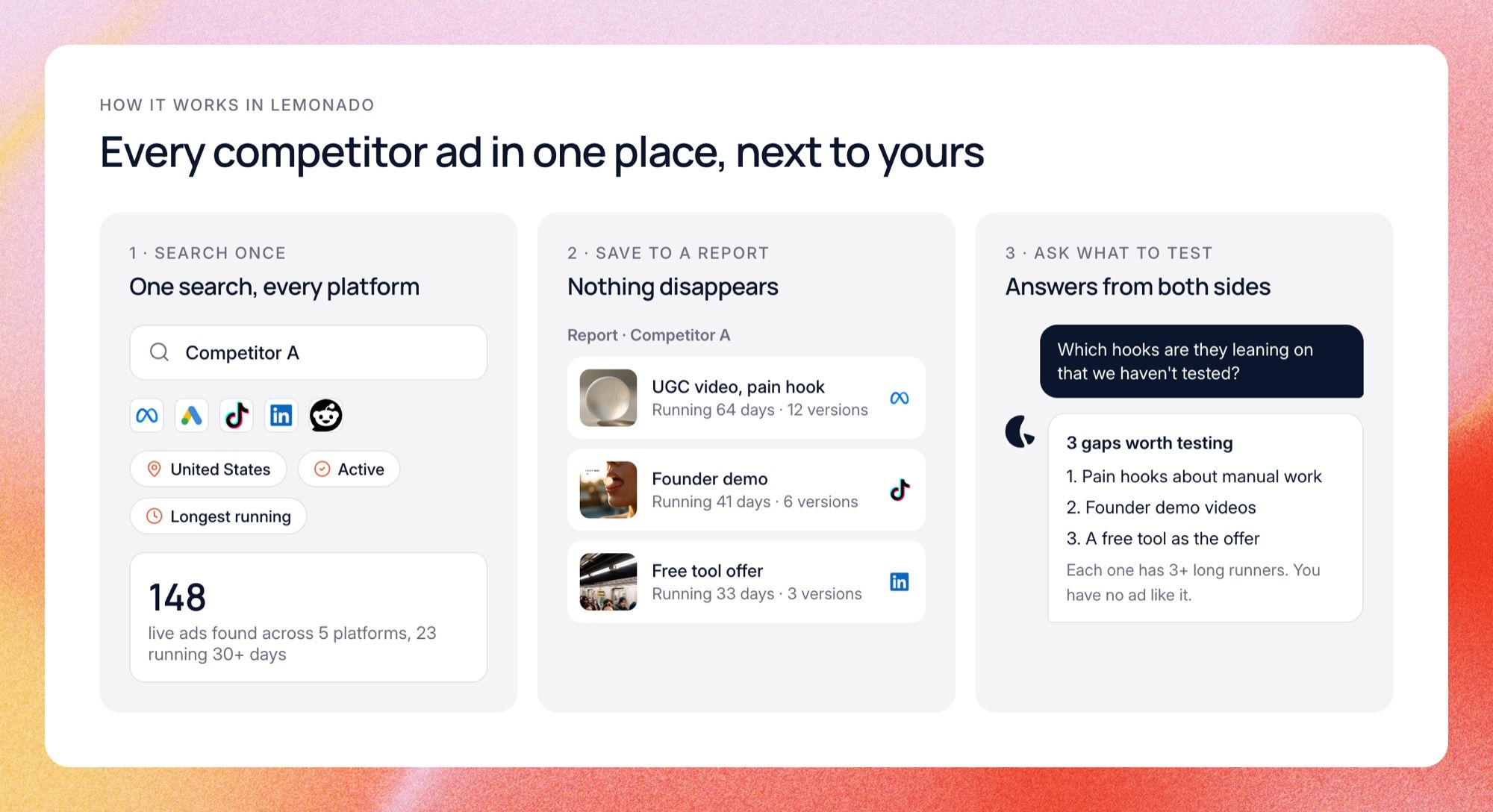
The third step is the one you cannot do with a library and a chat window. Ask Lemonado in chat "Which hooks are competitors leaning on that we have not tested yet?" and it checks their long runners against your own account. You get gaps you can act on, not a pile of screenshots.
When you find something worth discussing, share the report as a link with comments for a creative review, with your team or a client. Agencies that research many brands keep each client's reports separate, which is what the agency setup is built for.
What it saves us
We run the same routine for our own ads, on six competitors every week. By hand, across four libraries and a spreadsheet, it took us about two and a half hours. In Lemonado it takes about ten minutes, most of it spent reading the answer and picking what to test.
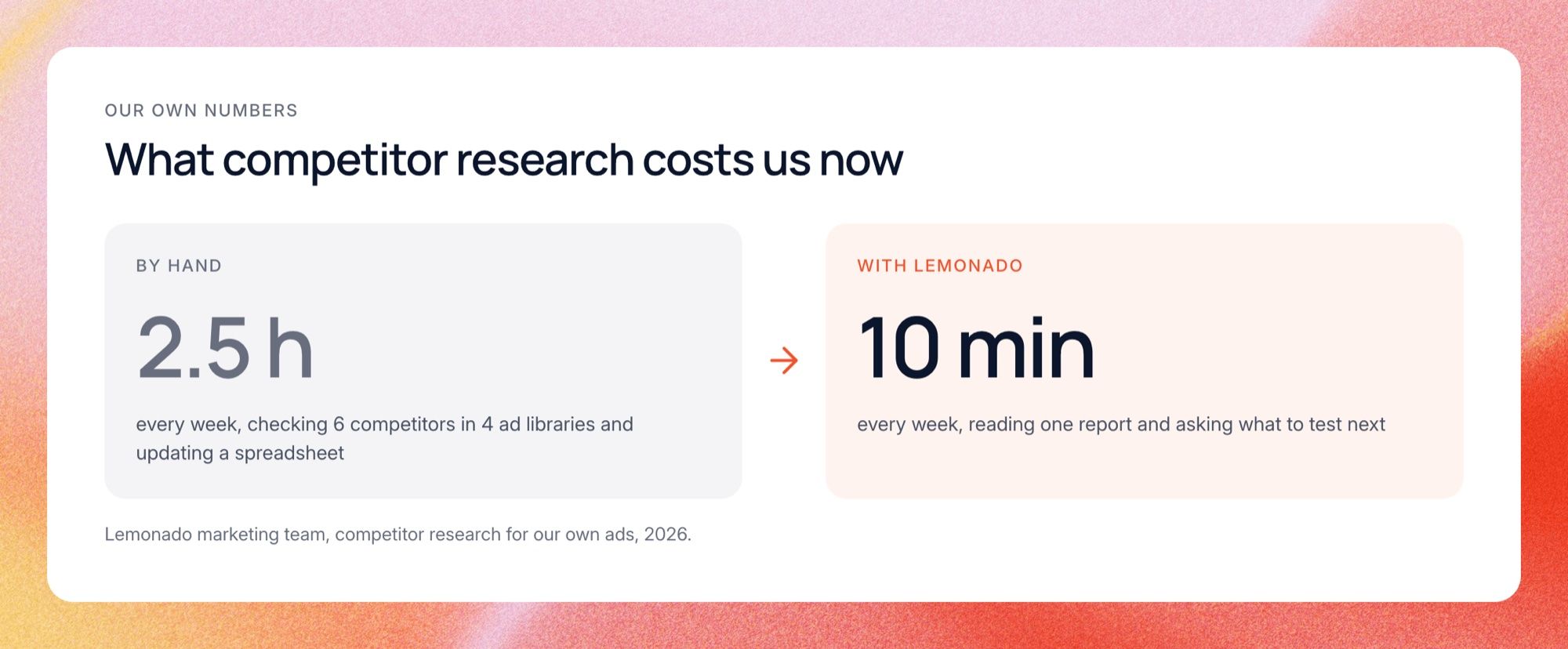
The bigger win is that it actually happens every week now. When the check took a whole afternoon, it slipped whenever a launch got busy. At ten minutes it never gets skipped, so we see competitor tests while they are still running.
FAQs
These are the questions marketers ask most about competitor ads. The short version: the libraries are free and legal to use, but they never show you results. Reading run time, versions and platforms is how you fill that gap.
Where can I see competitor ads for free?
Use the Meta Ad Library for Facebook and Instagram, the Google Ads Transparency Center for Google and YouTube, the LinkedIn Ad Library for LinkedIn, and the TikTok Creative Center for TikTok. All of them are free and need no ad account. Search by Page, domain or company name rather than keywords to get clean results.
Can I see how much a competitor spends on ads?
Not for normal commercial ads. The libraries only show spend for political and social issue ads, plus some reach numbers in the EU. You can estimate effort from how many ads they run, how many versions they test and how long they keep them live, or use a paid tool for spend estimates.
How do I know if a competitor's ad is working?
Look at how long it has been running. Brands rarely keep paying for an ad that loses money, so an ad live for 60 days or more is usually a winner. Many versions of the same idea, and the same ad running on several platforms, are good signs too.
Why can't I find a competitor's ads?
Usually it is the search. Try the Facebook Page name on Meta, the website domain on Google, and the company page name on LinkedIn. If nothing shows up anywhere, the brand may not be advertising right now, or only in another country, so switch the region to "All".
Is it legal to look at competitor ads?
Yes. The ad libraries exist so anyone can see who is advertising and what they say. Studying them is normal practice. Copying another brand's creative, images or trademarks is a different matter, so use what you learn as inspiration and make your own version.
How often should I check competitor ads?
Once a week is enough for most teams. Brands rotate creative often, so a monthly check misses the tests that came and went in between. A short weekly look at new and longest-running ads keeps your idea list fresh without taking over your week.
Start researching smarter
You can do everything in this guide for free with the public libraries and a spreadsheet. Once you check several brands every week, it is worth having it all in one place next to your own numbers.
Try Lemonado free with $150 in credits and no card. Connect your ad accounts, search your competitors in Discover, and ask what they are doing that you are not.